Posts in Software Updates
Product Alert: Streamline Registration With New Check-In Feature
 

As part of our constant commitment to innovation and meeting the evolving needs of tournament organizers, GolfStatus is excited to release its newest golf tournament management software feature: team check-in.

Tournament day check-in has historically relied on static printouts with no ability to sync across stations, creating bottlenecks at registration when large groups arrive at the same time. This part of the tournament can quickly devolve into chaos if the people at registration aren’t able to quickly and easily access information.

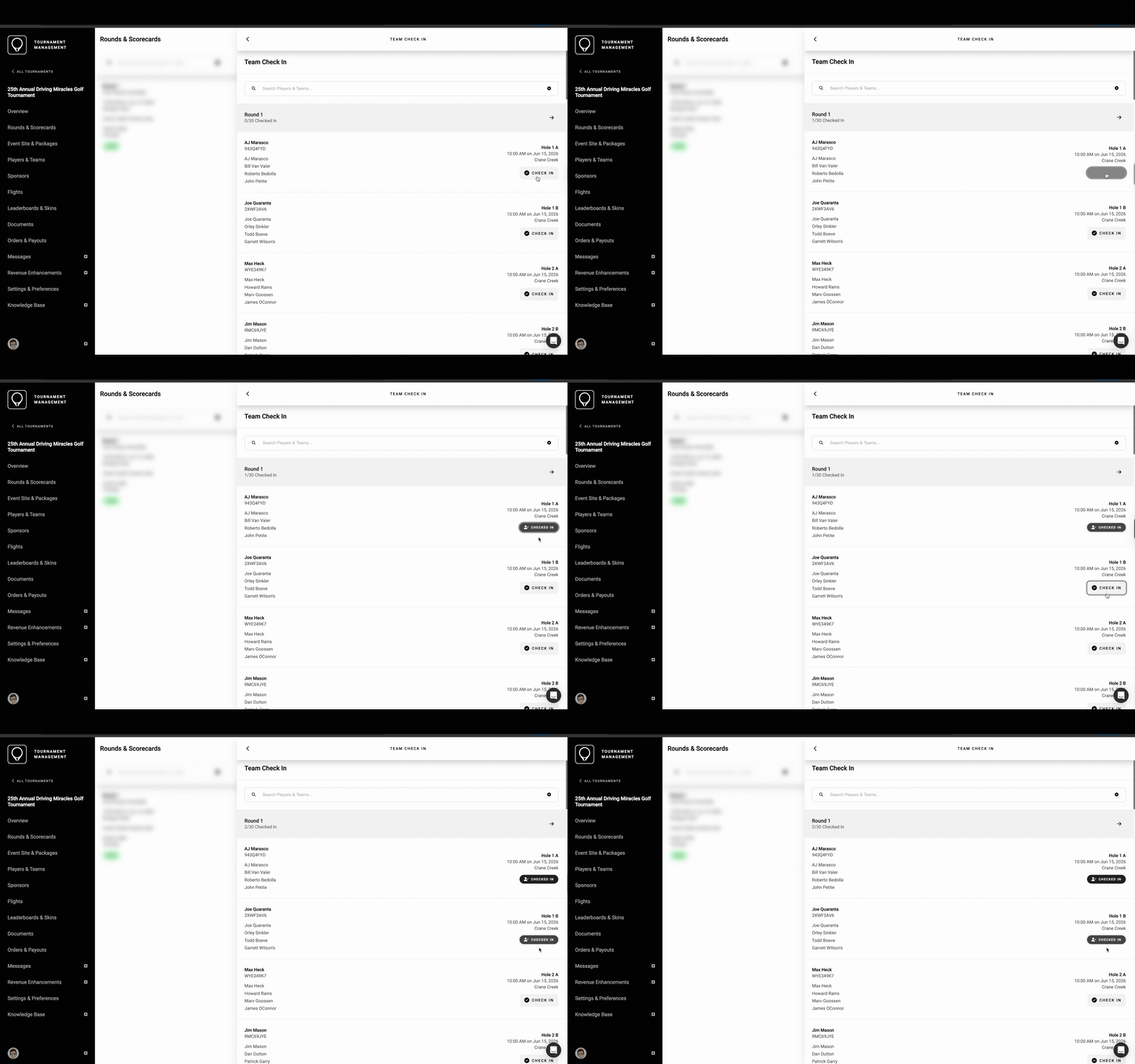
To alleviate this common pain point, GolfStatus’ check-in feature embeds the process into the software, where team information is centralized and check-ins update in real time. When one organizer checks a team in, every connected device sees the update instantly—no refreshing required. A laptop computer or mobile device with internet access is required to utilize check-in. A live counter below each round shows how many teams have been checked in, so organizers always know how registration is progressing.

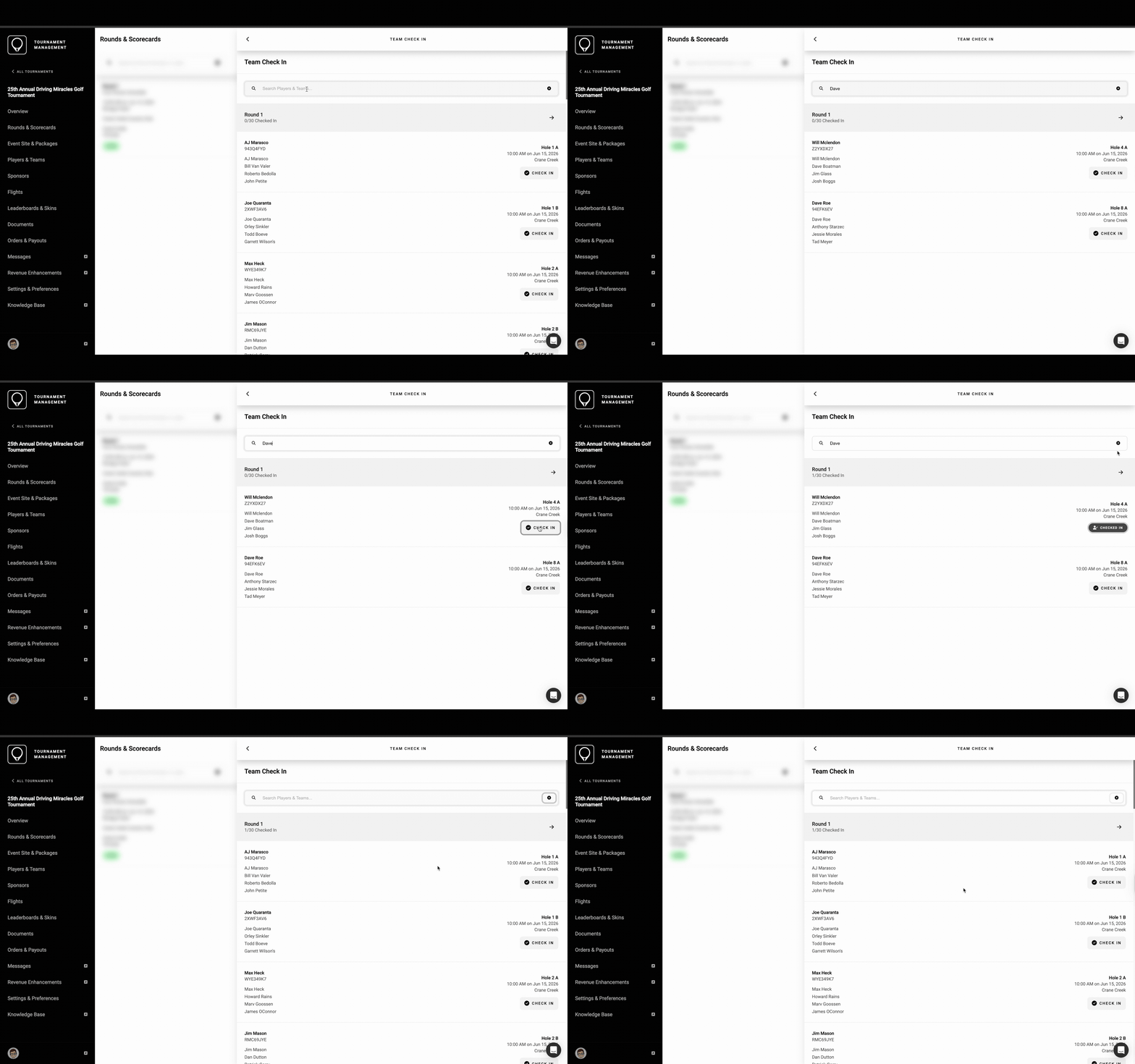
A short video showing teams being checked in in the GolfStatus software.

The live counter updates in real-time, showing how many teams have been checked in out of the entire field.


Mulitple Access points

Users can access check-in from multiple places within the software, including the tournament overview screen, the Rounds and Scorecards menu, and the Players and Teams list. Every entry point leads to the same check-in experience, with identical functionality and real-time sync. Having multiple access points lets organizers jump in from the point in the software that feels the most natural without being locked into a single workflow.


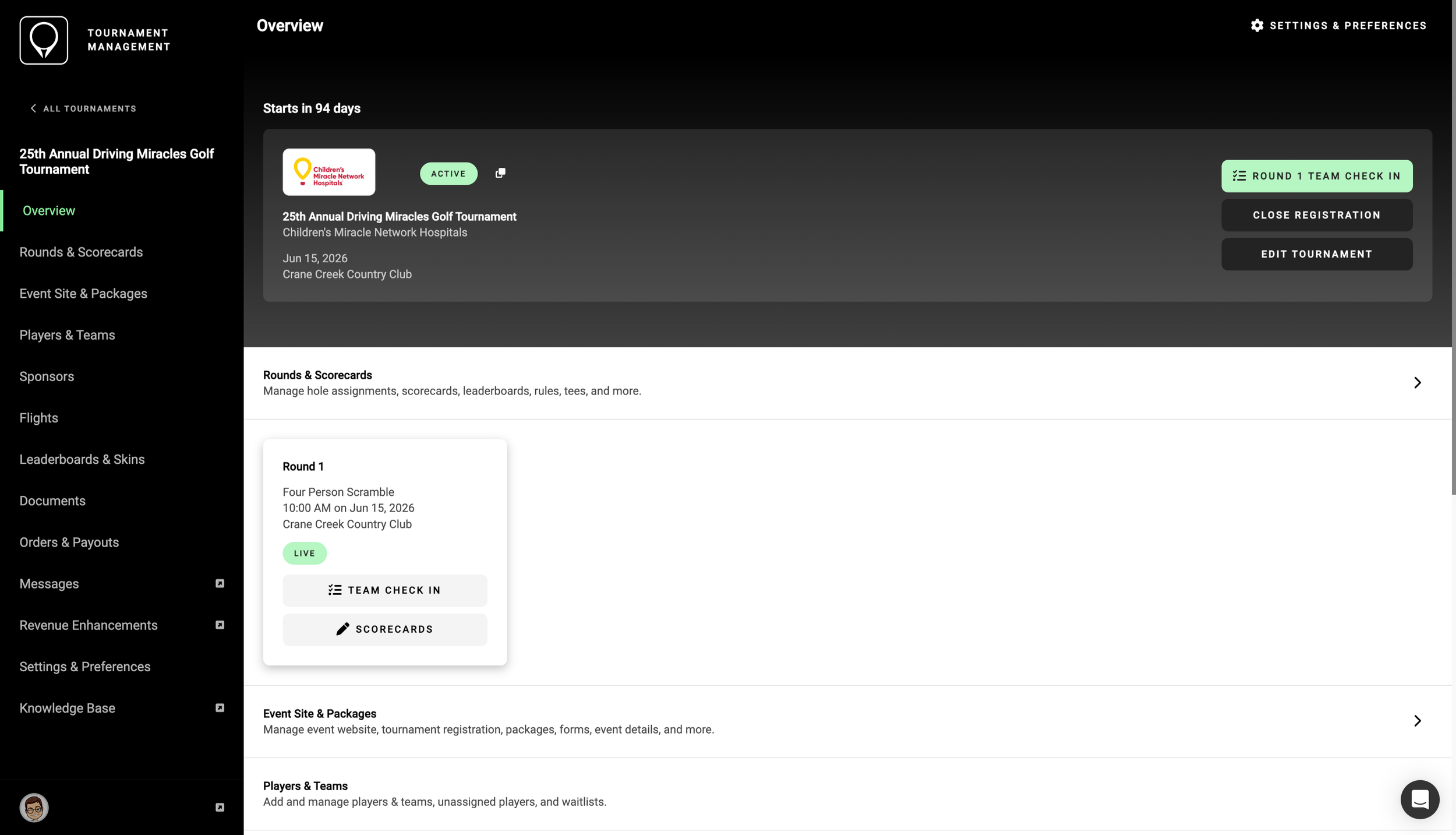
Tournament Overview

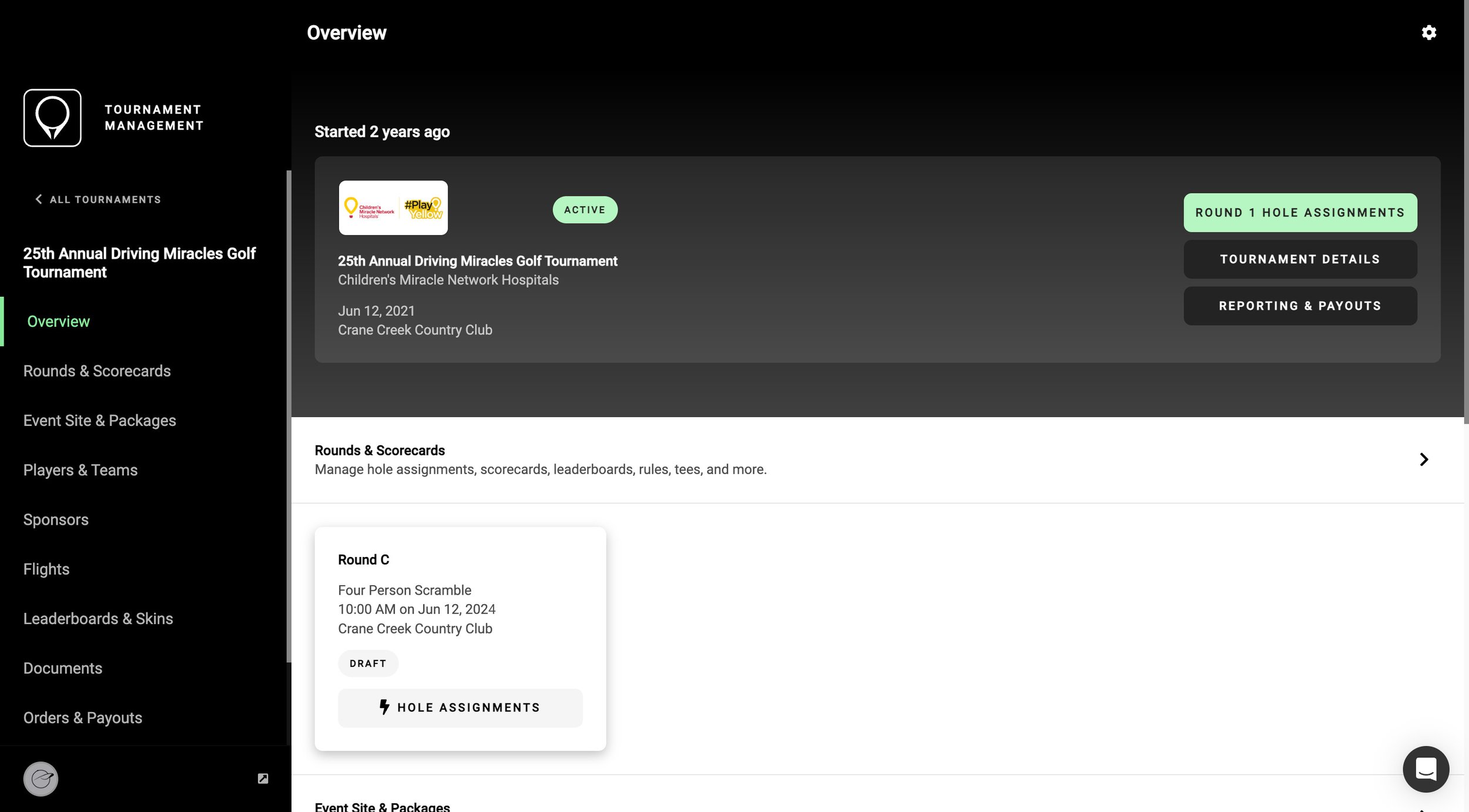
Access check-in from the tournament’s home screen in the software, either from the Quick Actions menu or the Round tile.

A screenshot of the Tournament Overview Screen in the GolfStatus Software.

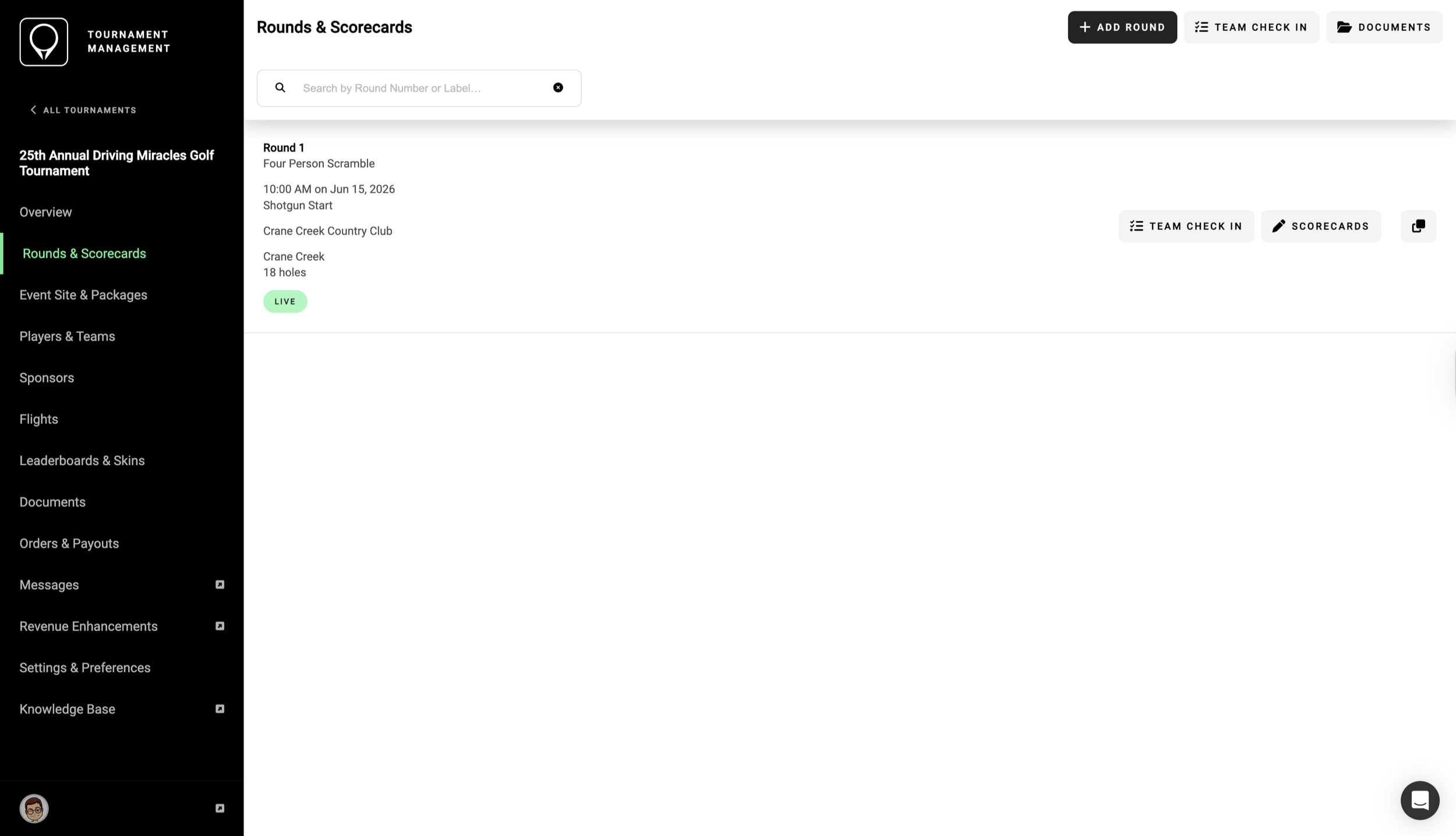
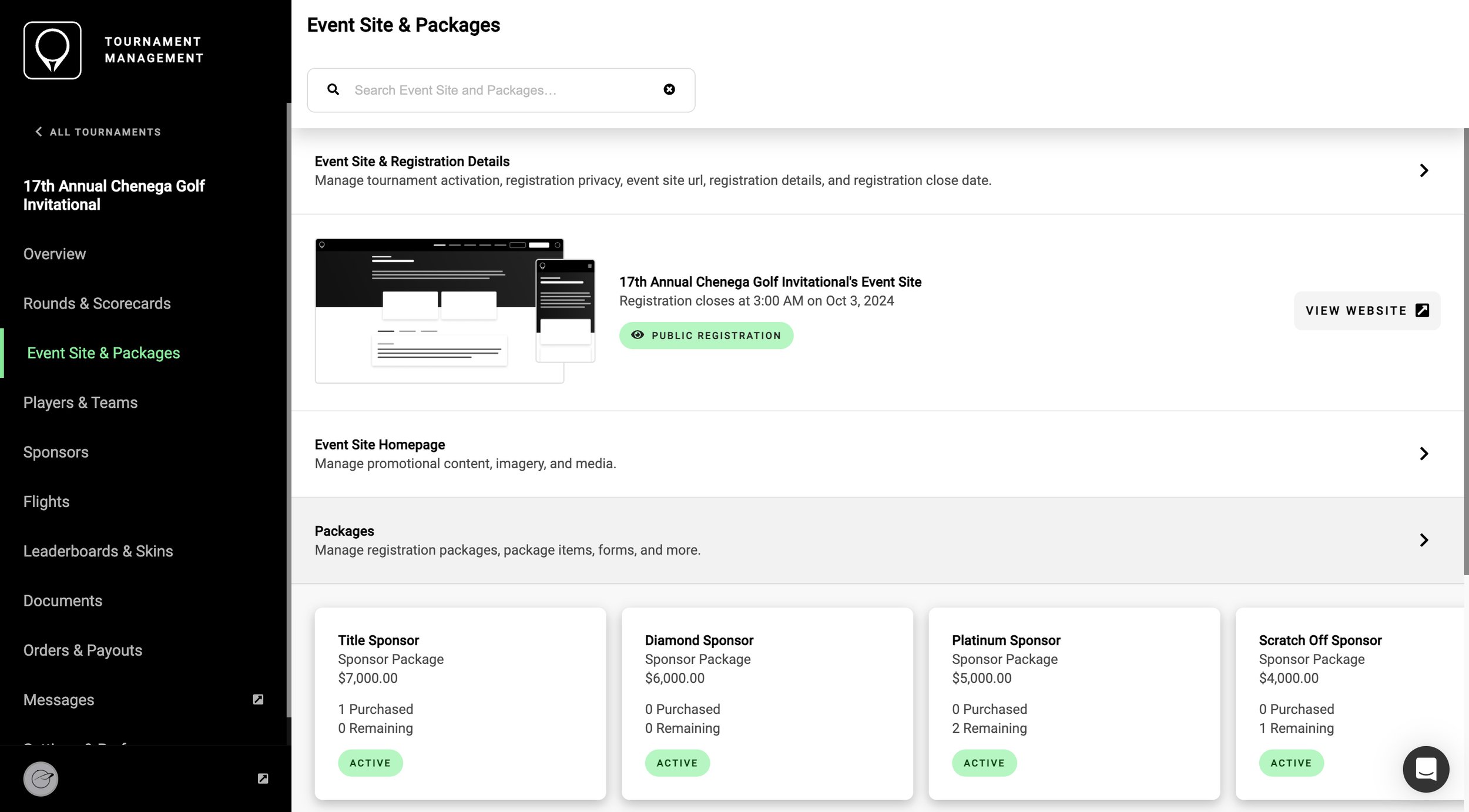
Rounds & Scorecards

Organizers can filter by a specific round or search player or team names across all rounds at once, a huge time-saver for tournaments that have fields split across different time slots or courses.

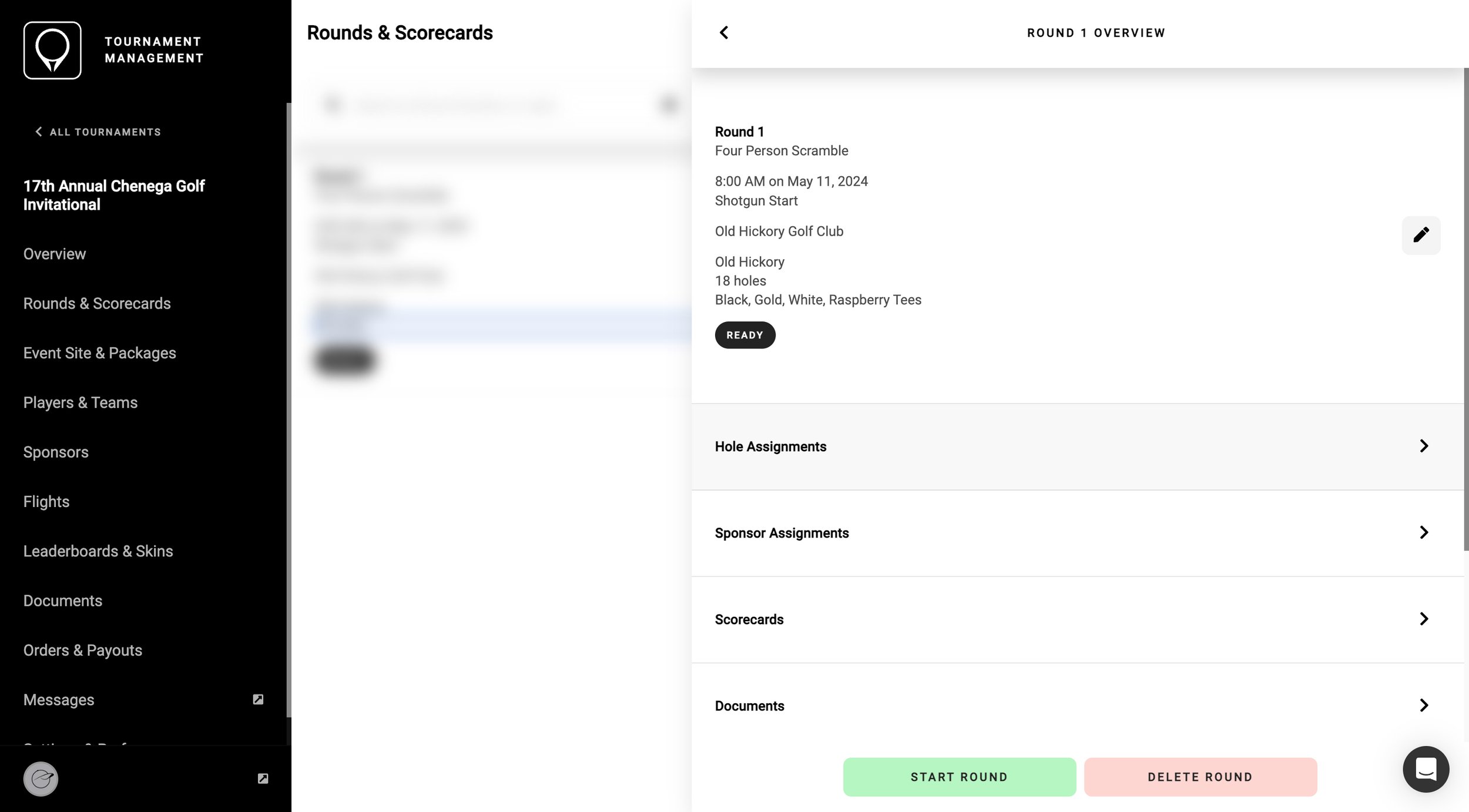
A screenshot of the Rounds and Scorecards screen in the GolfStatus Software.

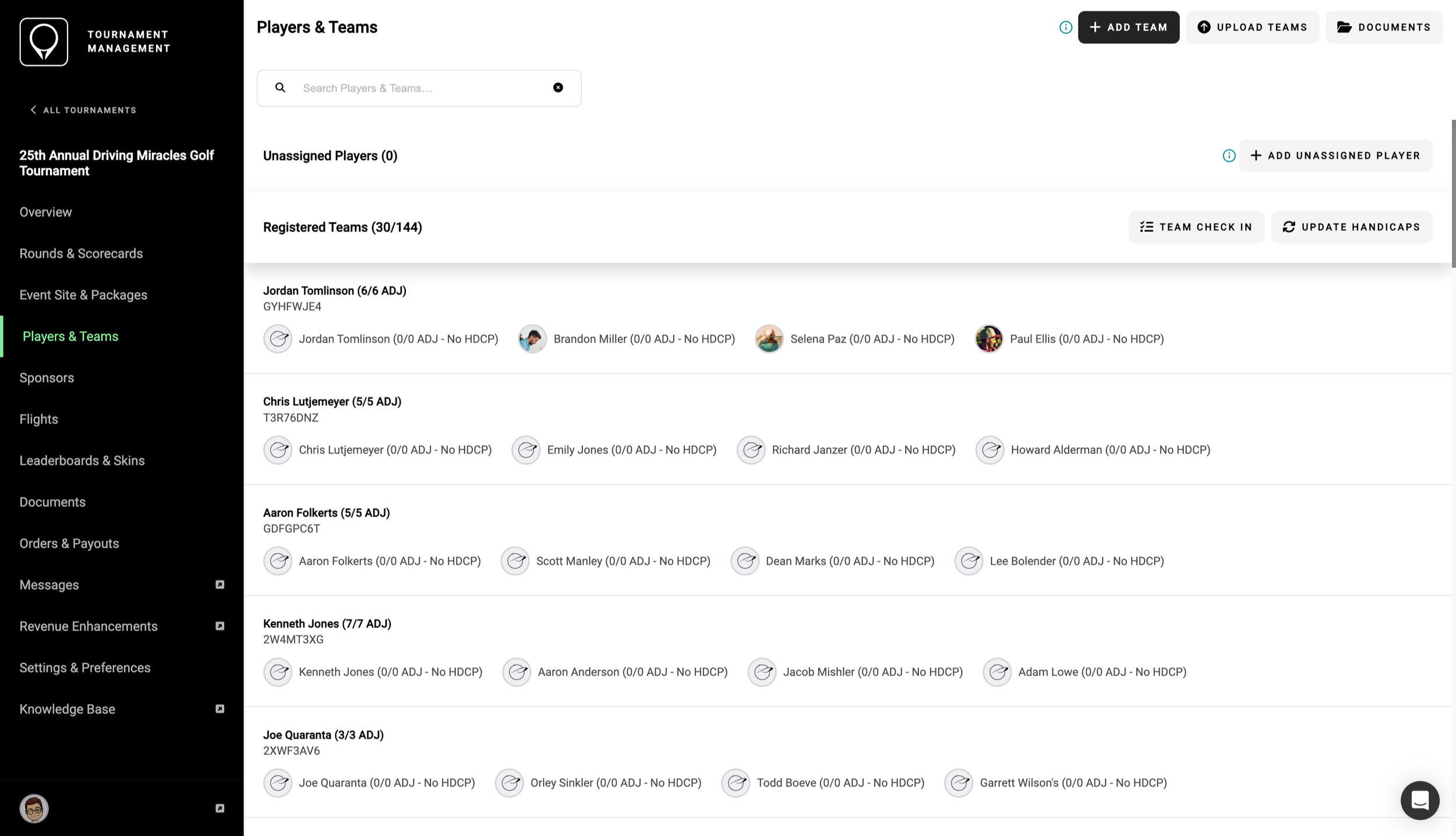
Players & teams

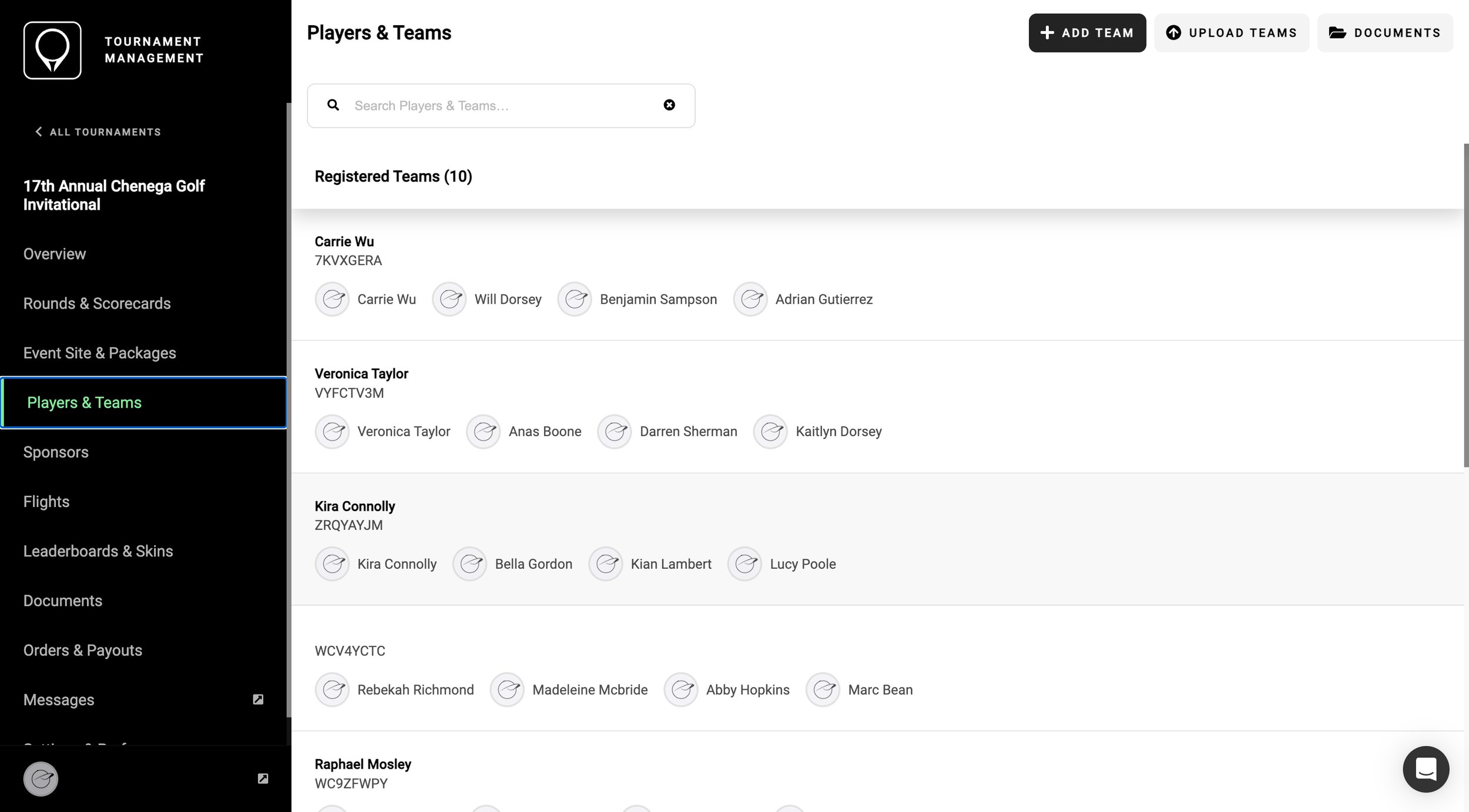
One tap of the “check in” button marks the team as checked in and syncs the update to every connected device, allowing multiple registration stations and streamlining the process.

A screenshot of the Players and Teams screen in the GolfStatus Software.

Check-in lets volunteers staffing registration rapidly search by team name or player name, so participants can be located in just a few seconds instead of flipping back and forth through multiple pages of printouts. And because the checked-in counter updates instantly, anyone who’s logged into the software, anywhere on the course, can get a clear picture of how registration is moving.

A short video showing a search for a player  and teams being checked in in the GolfStatus software.

It’s quick and easy to search for a golfer or team across rounds.


want to know more?

Get in touch to find out more about how GolfStatus can save time and help raise more money with your golf tournament. Whether you’ve got a golf event on the calendar or are just exploring the idea, GolfStatus can help. Click below to book a meeting with our team and get started with no upfront cost!
already a golfstatus client?

Get in touch with your Client Success representative to learn more about the check-in feature for your next tournament.


Product Alert: GolfStatus Releases New Golf Tournament Websites
 

GolfStatus’ golf tournament websites have been completely revamped, with new enhancements that give nonprofits advanced tools to streamline golf event management, engage participants, and boost fundraising efforts.

The updated site design reflects feedback and input directly from our clients and our commitment to continued innovation and improvement to help nonprofits raise mission-critical funds through golf. The new look was rolled out to all event websites powered by GolfStatus on January 20, 2025, and includes:

  • A clean, inviting interface. GolfStatus’ mobile-friendly websites engage site visitors and prompt action, whether it’s to register a team, purchase a sponsorship, or make a donation. A continued focus on mobile ensures organizations have the ability to collect funds from anyone, anywhere, anytime.

  • User-friendly navigation. The new look provides visitors with a more organized and consistent layout, clearly labeled buttons, and easy exploration throughout the site.

  • More opportunities to tell your story. The updated design gives tournament organizers even more space and options to share your cause through imagery, text, and video. Site updates can be made quickly and easily in the software’s back end.

  • Additional sponsor exposure. Sponsors enjoy increased visibility on the site’s home page that adds value to sponsorship packages.

  • Improved checkout experience. Registrants, sponsors, and donors will enjoy a more streamlined and intuitive checkout experience. A new page footer helps guide users through the registration process, showing them what information they need to complete before they can move forward in the process.

  • More visible donation calls-to-action. Organizations can take advantage of additional donation calls-to-action, specifically once registration for the event has closed, to further boost tournament revenue.

These updates complement the core functionality of GolfStatus’ event websites, designed with fundraisers in mind, that save time and offer revenue-boosting opportunities:

  • Online registration and donations with secure payment processing

  • Easy tournament marketing and promotion

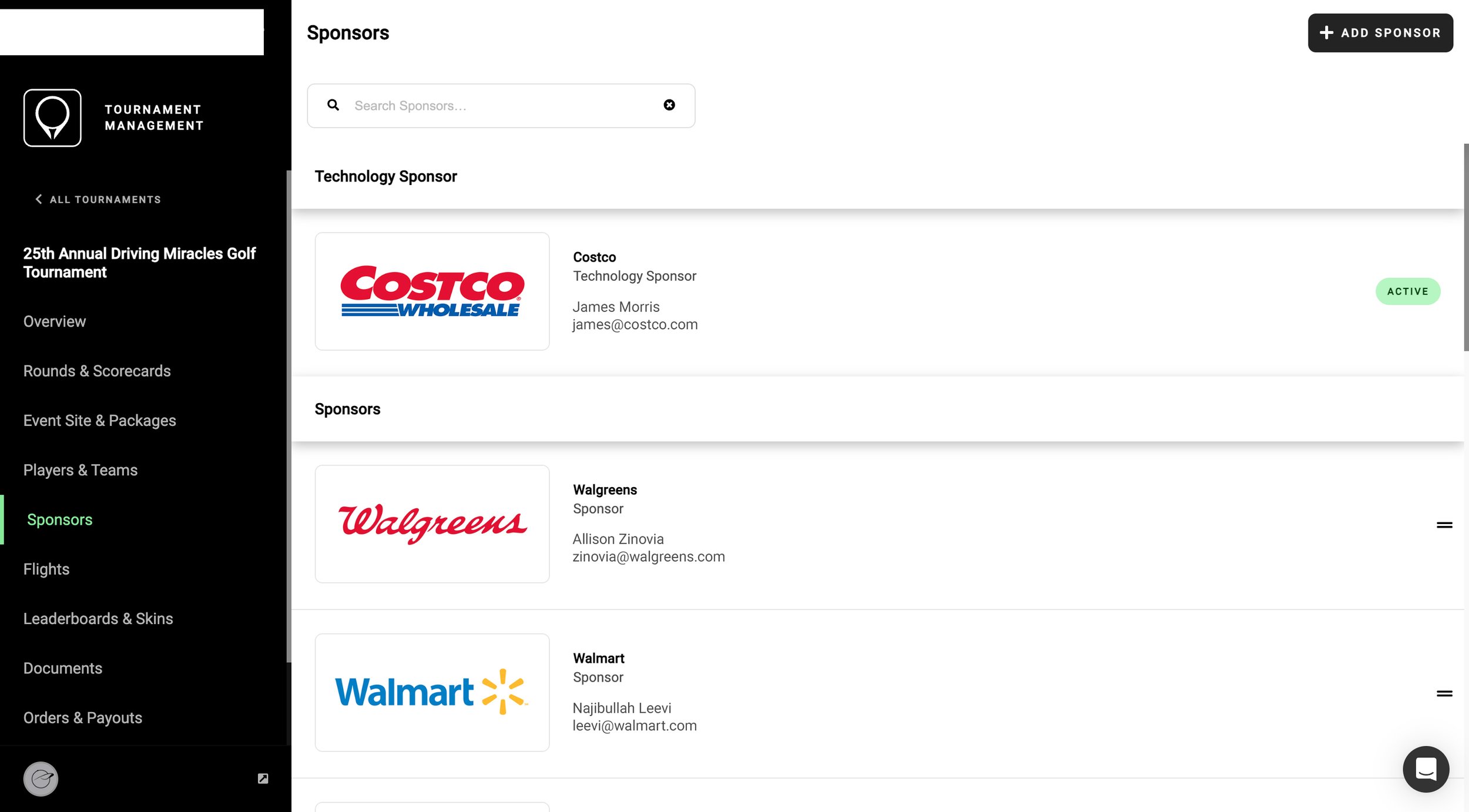
  • Simple sponsor onboarding and premium digital exposure

  • Professional live leaderboards

  • The ability to quickly share tournament information and updates

As usual, GolfStatus’ in-house, responsive support team is available to help tournament organizers navigate the site’s updates and answer any questions with live support seven days a week.


get a free event website

Nonprofits can qualify for a free event website and no-cost access to GolfStatus’ suite of tournament management solutions through the Golf for Good program, a give-back initiative that supports organizations using golf to do good. Tournament organizers can book a demo with GolfStatus’ team to learn more and get qualified for Golf for Good or to get started in the software on their own.


Product Alert: New GolfStatus App Makes Live Scoring Easier Than Ever
 

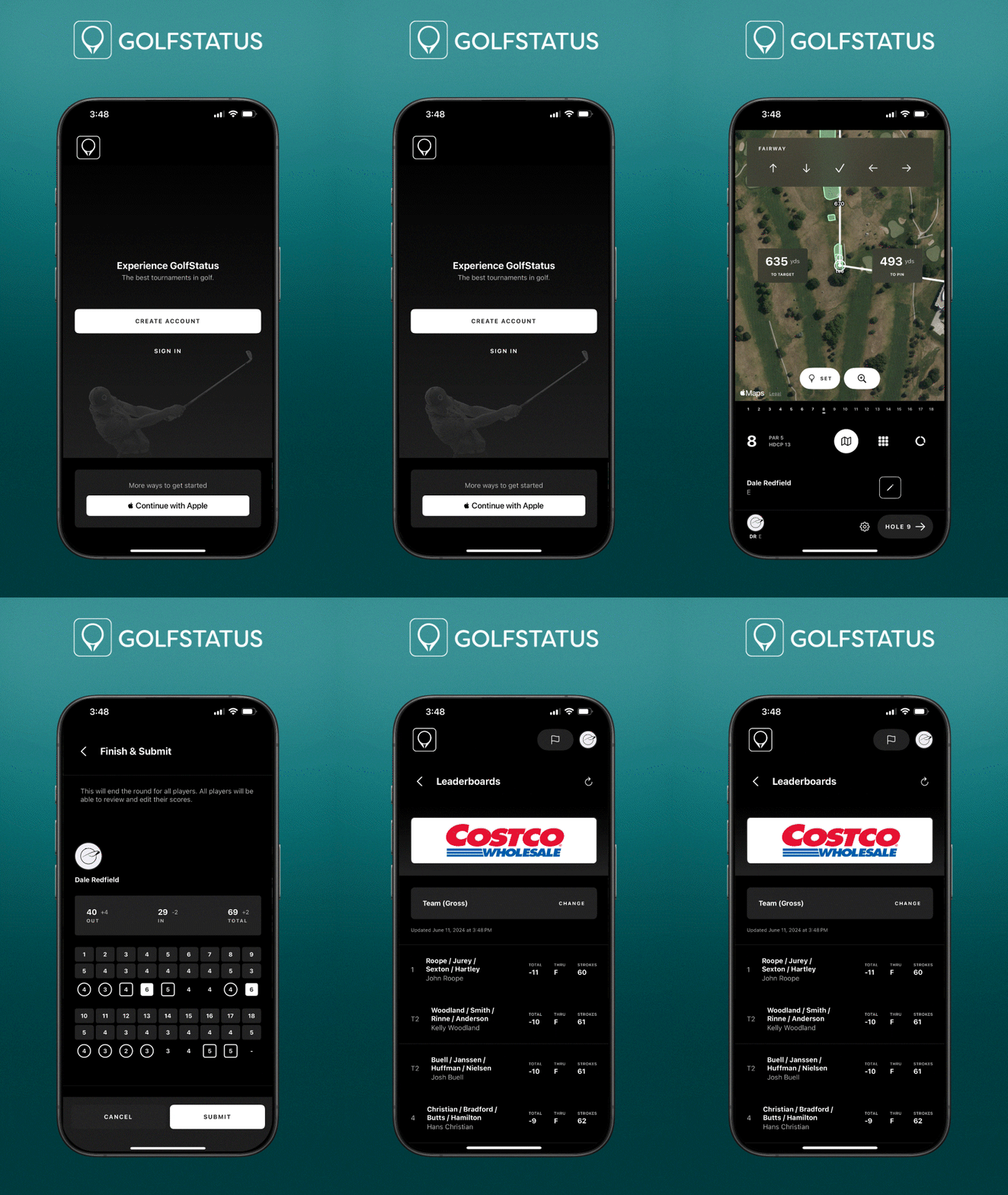
The GolfStatus mobile app has been completely reimagined to make live scoring golf tournaments—from miniature golf events to massive, multi-day tournaments—easier and more seamless than ever before.

Screenshots from the newly updated GolfStatus app are shown on a smartphone.

What’s New?

  • Updated Design. The app has gotten a facelift, with a modern and updated look and feel that enhances usability.

  • Simplified Navigation. The app’s menus and features have been consolidated for quicker, easier navigation.

  • Enhanced Tournament Features. Easily find your upcoming tournaments and start live scoring your round with just a few taps. See starting holes and scorecards for all tournament rounds.

  • Light and Dark Mode. The app automatically defaults to light or dark mode, based on the set mode for the device.

  • Tournament Recommendations. GolfStatus will share tournament recommendations based on your location. You can also explore tournaments in your area and register right from the app.

  • Updated Map Views. Find golf courses in your area with ease using the updated map view. 

  • Additional Details & Tracking. Explore detailed scorecard breakdowns for all leaderboard types, plus the ability to edit scores and advanced stats and add notes as you play.

  • Elevated GPS. Customize your map settings to show the distance to the front and back of greens, fairway runouts, and bunkers.


Download the updated app today!

Learn how to use the app to
live score a tournament


Powerful, user-friendly &
no upfront cost

The GolfStatus mobile app remains free to download and is incredibly easy to use, with reliable live scoring for golf tournaments of all types and sizes and tools to track statistics for every round that help you play better golf. Tournament organizers and golfers can also lean on GolfStatus’ in-house support team to answer questions and troubleshoot any issues.

Two men look at their phones to live score a golf tournament using the GolfStatus app.

The GolfStatus app is part of its robust tournament management software that helps event organizers run better tournaments that raise more money. Qualifying nonprofits (or those holding a third party event to benefit a nonprofit or charity) can use GolfStatus at no upfront cost through the Golf for Good program. Learn more and get qualified!


Product Alert: Tournament Management Software Gets An Upgrade
 

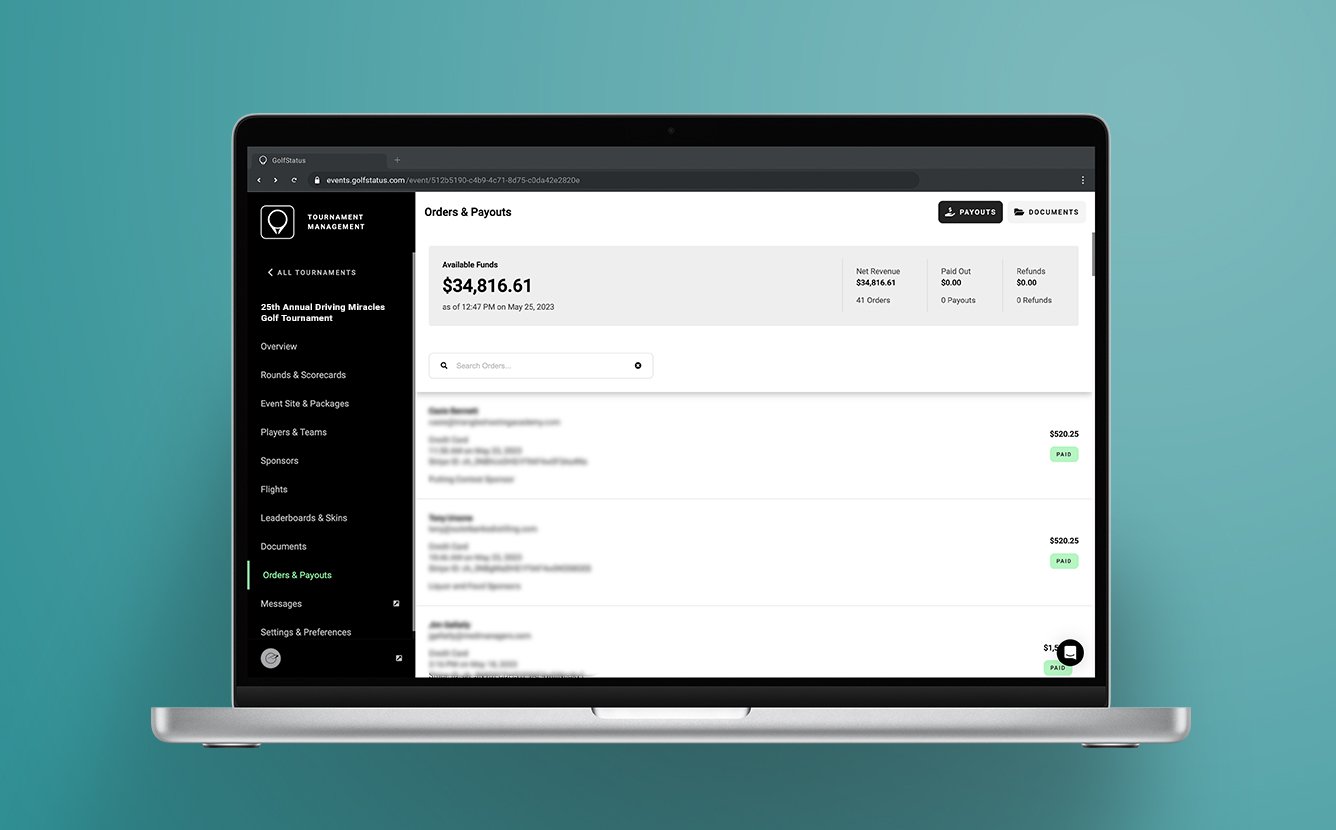
GolfStatus’ powerful tournament management software (TMS) has gotten an upgrade, with a refreshed, easily-navigable interface and additional features to make your next golf event the best one yet.

The software’s core functions remain the same, saving tournament organizers time and providing built-in tools to save more money. But the newest version of TMS has a number of notable improvements and new features to better streamline golf tournaments and fundraisers, including:

  • Intuitive organization and workflows. The refined layout of the software makes it easier to navigate between workflows. Prompts and alerts help users move from section to section quickly and seamlessly.

  • Work in TMS on any device! The new backend is completely responsive, so you can make edits to your event website, review registrations, check payments, and more, all from your phone, tablet, or computer.

  • Custom event site URLs. Improve SEO and branding with a custom URL for every tournament’s event website.

An event website with a custom URL improves branding and SEO for your golf fundraiser.
  • Improved image editing. There’s no need to hassle with graphic design programs or websites—now you can resize logos and images and make necessary edits right in TMS, saving you valuable time. Plus, you can customize the overlay on the event website’s hero image.

  • Now processing Canadian dollars! Canada, we’re here to make executing a lucrative golf tournament easier and more efficient. 

  • Simplified organization management. Manage user access and permissions and standardize settings, imagery, logos, and links across tournaments.

  • Improved skins games management. It’s now simpler to start a skins game and manage players and teams that want in on the action.

  • Additional paid features. Send sponsor invoices through the platform and set up discount codes for registrants. Tournaments can access these premium features for a fee.

All of this (with the exception of the paid features), plus GolfStatus’ professional event websites, live scoring and leaderboards, exclusive sponsorships, digital sponsor exposure, and more, is still available at no upfront cost for qualifying nonprofits and charity golf tournament organizers through GolfStatus’ Golf for Good program.

And like always, GolfStatus’s in-house support team is here with live support seven days a week to answer questions and troubleshoot issues.

The GolfStatus support team is here to answer questions and guide you along the way.
 

Ready to Find Out More? 

Get in touch with the GolfStatus team to find out how you can start saving time and raising more money with your golf tournament today. Whether you’ve got a tournament on the calendar or are just exploring the idea, GolfStatus can help. Click here to connect with our team and get qualified for the Golf for Good program.

Already a GolfStatus Client?

Get in touch with your Client Success representative to learn more about the updates and make the switch to the newest version of TMS!