
10 Ways to Ask for Donations During a Golf Fundraiser
Charity golf tournaments are opportunities for fun, connection, competition, and above all, fundraising. While team registrations and sponsorships typically drive the bulk of the event’s revenue, the most successful tournaments don’t stop there. They layer in thoughtful, well-timed donation asks before, during, and after the tournament to maximize impact and leverage the generosity of golfers.
The key? Make giving easy and aligned with the tournament experience. When done strategically, your asks won’t interrupt the round; instead, you’re simply enhancing the reason people showed up in the first place.
Here are 10 actionable ways to ask for donations during your next golf fundraiser.
1. Use Your Event Website as Your Fundraising Hub
Your golf tournament website should be the central engine for donations. Every ask, no matter where it happens, should point back to a simple, mobile-friendly donation site. This way, there’s no hassling with cash, reconciling Venmos, or processing checks after the tournament. Instead, all funds are kept in a centralized repository for easy post-tournament accounting.
Remove barriers to giving by making sure your event website:
Clearly communicates your mission, what the tournament is raising money for, and its impact
Includes a prominent “Donate” button across the site’s pages
Works seamlessly on mobile devices
Includes a donation tracker
Connects to and displays your live leaderboard with a donation call to action
PRO TIP: Incorporate storytelling on your golf tournament website.
Use photos, impact stats, and a clear call to action so visitors understand why their donation matters before they ever even set foot on the course.
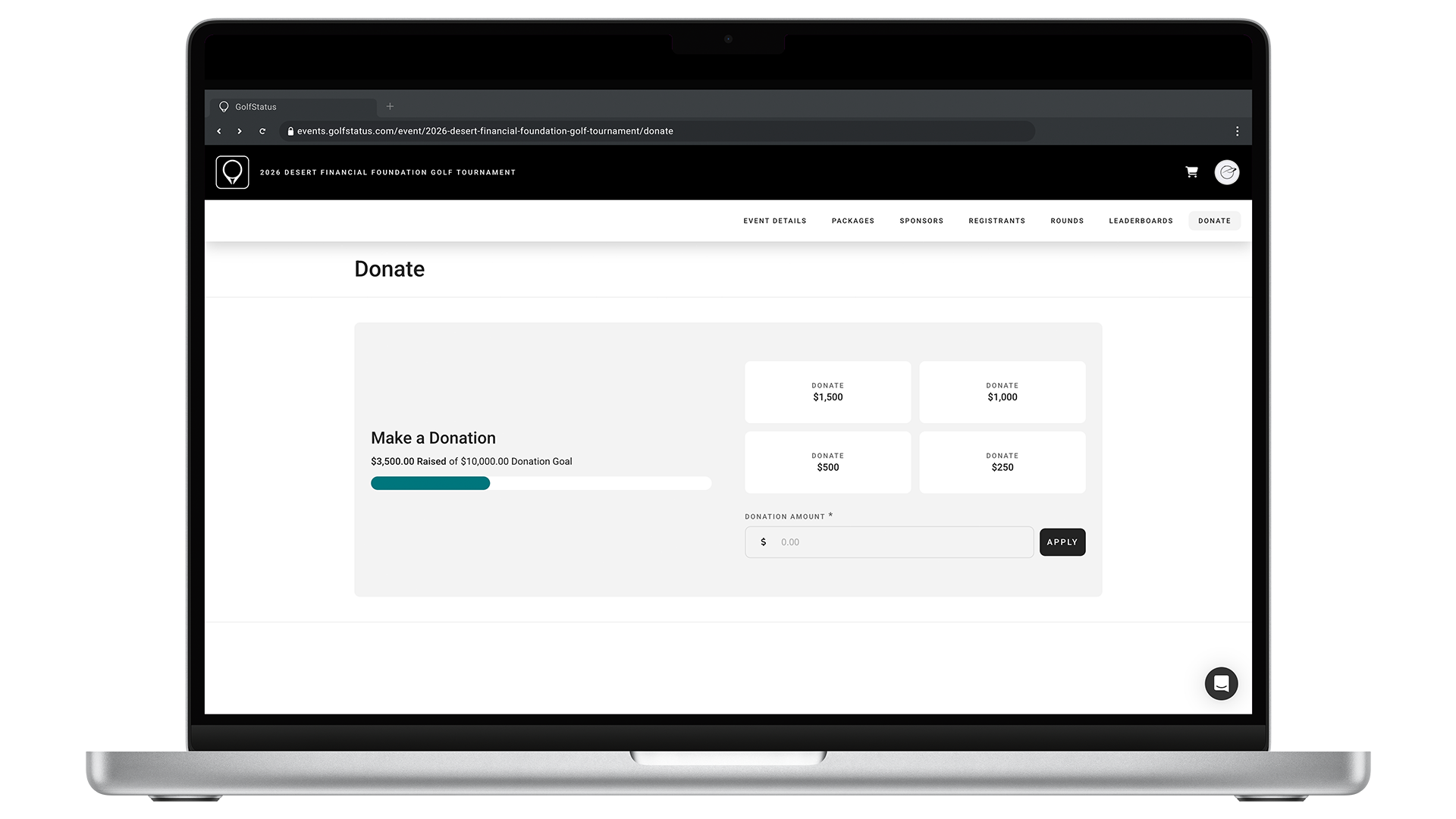
Every donation ask should link to your event website, where golfers can donate with just a few taps and see progress toward your goal.
2. Send Strategic Asks Throughout the Day
Communication is one of your most powerful fundraising tools, so use it wisely. You’ll need an easy way to get in touch with golfers and donors at the right moments during the event, like email or push notifications. Timing matters, so spread your messages throughout the day so they feel helpful, not overwhelming.
Use your event management platform to:
Link to the donation page of your event website
Announce fundraising milestones
Highlight contests or challenges
Share any matching donation campaigns
PRO TIP: Pair donation asks with updates.
Fold your day-of donation appeals into useful updates, like lunch announcements, current standings, or on-course game or contest reminders. This makes them feel like part of the event flow, rather than a disruption.
3. Set a Day-of Fundraising Goal & Rally Around It
A clear, tangible tournament day fundraising goal gives golfers and sponsors something to rally behind and can motivate them to make an additional contribution. Instead of a vague ask, be as specific as possible. For example:
“Help us raise $5,000 today and feed shelter pets for three months.”
“We’re halfway to our goal of $7,000—help us close the gap!”
Leverage your event management platform’s donation tracker to keep attendees up to date on your progress, building momentum and urgency. What’s more, when the overall tournament experience is top-notch, golfers are much more likely to chip in to help you reach the day’s goal.
PRO TIP: Tie your goal to a specific outcome.
Donors tend to be more motivated to make a contribution when they can visualize its impact on your mission.
4. Use a Compelling Story to Help Make the Ask
Not every golfer at your event will have a deep connection to your cause. Many are there because they were invited to play by a friend or family member or to fill their company’s foursome.
Your golf tournament is an incredible opportunity to connect these new potential donors to your mission. Consider these ideas:
Share an impact story during the tournament’s kickoff
Feature a beneficiary’s story during the awards ceremony
Display signs, banners, or posters around the course that describe your work
Include brochures or handouts in golfer gift bags
Follow these up with an ask that helps attendees understand how their donation makes a difference.
PRO TIP: Keep mission moments concise and emotional.
A brief two or three-minute story from a beneficiary or your nonprofit’s executive director with a clear takeaway is much more effective and memorable than a long presentation.
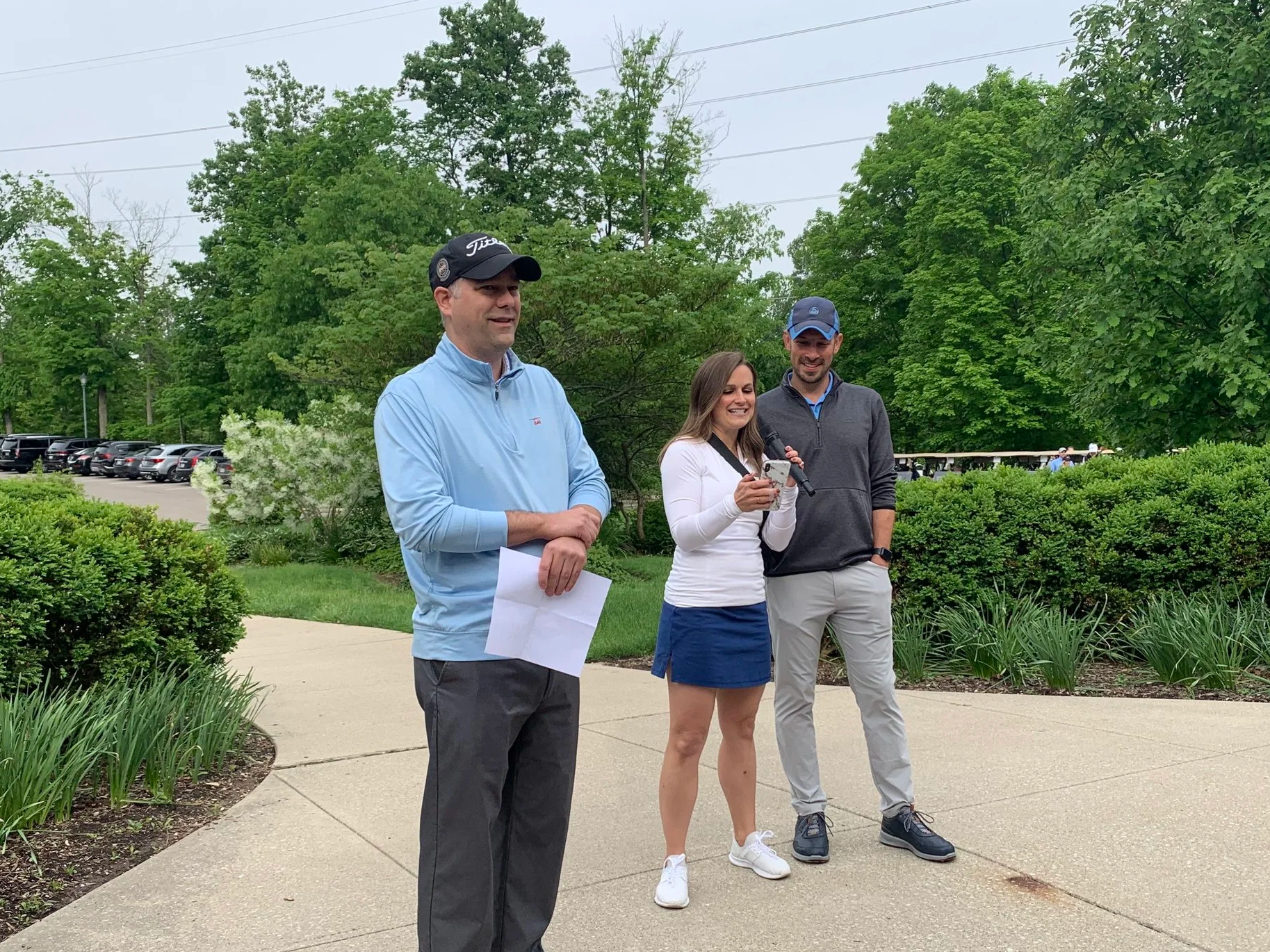
Tie donation asks to compelling stories to help the audience connect with your mission.
5. Have Donation Stations Around the Course
Make giving accessible—and visible—with designated donation stations in strategic locations at the golf facility. Staff them with knowledgeable volunteers, staff members, or even beneficiaries who can answer questions, share stories, and assist with donations.
Place donation stations in high-traffic, but unobtrusive, areas, like:
Registration/check-in
The turn or comfort station
A par five tee box that’s likely to get backed up
Near the clubhouse
Near the bar at the post-round gathering
PRO TIP: Use QR codes that link to your event website.
Place signage with QR codes that link golfers to your event website’s donation page at every donation station. This way, golfers can donate using their phones (and you won’t have to hassle with handling cash) and instantly get a receipt.
6. Leverage Live Leaderboards for Real-Time Giving
Live leaderboards aren’t just for tracking scores—they’re a powerful engagement and fundraising tool. Anyone, anywhere can follow along with the tournament’s progress via online and in-app live leaderboards, expanding your reach beyond the course and keeping people engaged in real time. Encourage giving by:
Sharing leaderboard links on social and via email before and during the event
Inviting spectators and remote supporters to donate while following along
Creating fun pledges (donate a specific amount for every birdie, eagle, or bogey)
PRO TIP: Use social media to engage donors.
Give social media shoutouts to online donors, consider having a special prize drawing for day-of donors, and be sure to follow up after the tournament with a thank you.
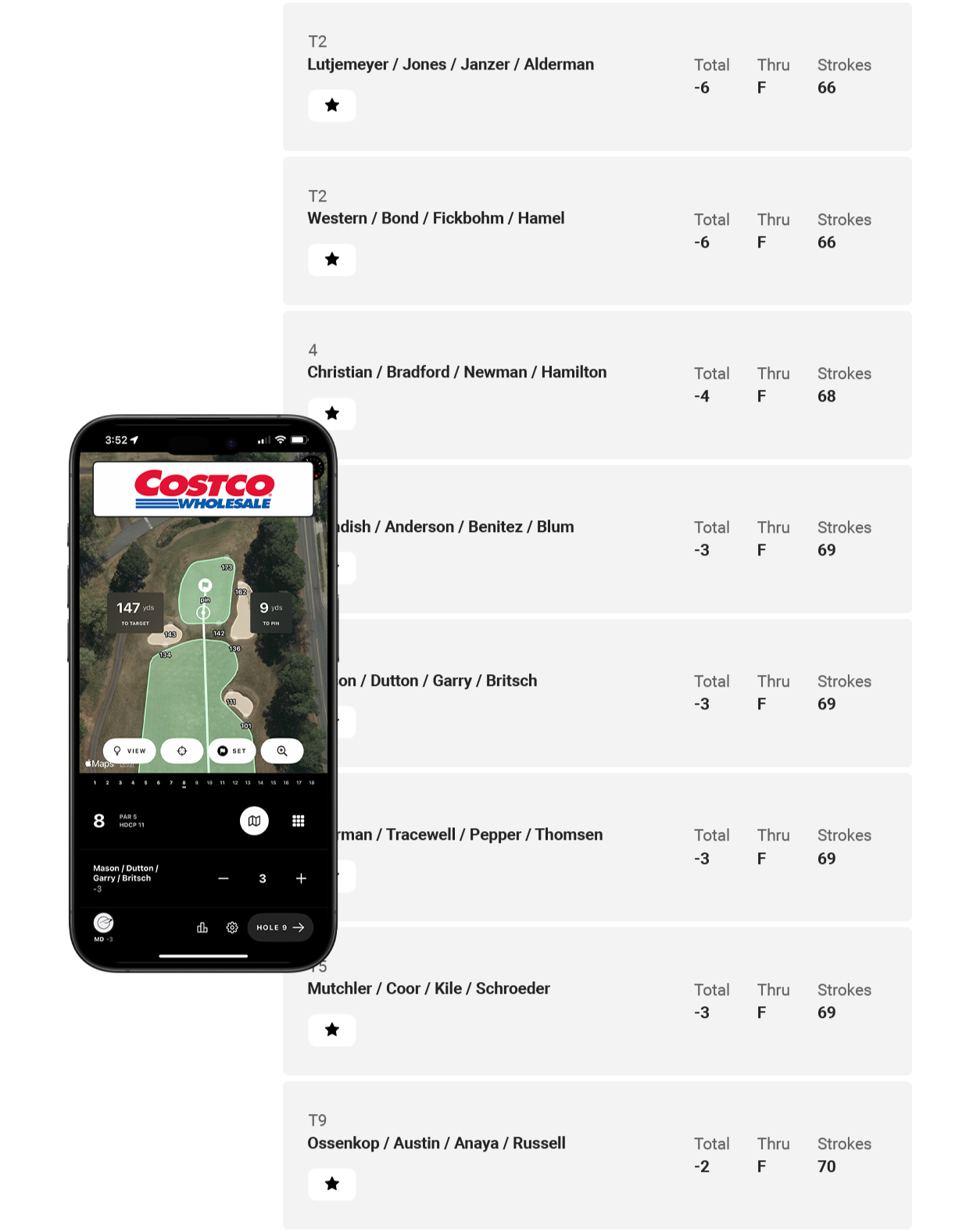
Live leaderboards are a great way to engage donors throughout a golf tournament.
7. Turn On-Course Moments Into Giving Opportunities
Your golf tournament is full of natural pauses, so take advantage of these lulls (and captive audiences) to ask for a donation. Keep these asks light, fun, and optional. The goal is to invite participation, not pressure it.
Consider adding donation prompts at:
Contest holes (hole-in-one, longest drive, closest to the pin, putting)
High-traffic wait areas
Comfort stations
Driving range
Practice green
PRO TIP: Pair donation asks with games or incentives.
Keep the energy high and the atmosphere casual by pairing donation asks with on-course games, drawings, or other incentives.
8. Introduce a Score-Based Giving Challenge
Tie donations directly to the tournament by asking golfers to donate based on scores. It’s simple, memorable, and easy to execute! Some ideas include:
Donating an amount equal to their team’s final score (if they shot a 72, they would donate $72)
Matching the winning team’s score
Using the last-place score for a fun twist
PRO TIP: Make this ask during awards.
The awards ceremony, banquet, reception, auction, or other post-golf gathering is a great time to make this particular ask. When you announce the winning teams and scores, challenge attendees to get out their phones and donate.

A tournament’s post-round meal, ceremony, or reception is a perfect opportunity to make a donation ask.
9. Add a Post-Round Call to Action
Golf is over, but post-round gatherings are prime opportunities to raise additional funds. People are relaxed, engaged, and reflecting on the fun they had during the event, making it an ideal moment to ask for contributions.
Share impact stories, progress toward the day and overall event fundraising goals, celebrate the day’s successes, and make a final, direct donation ask.
PRO TIP: Display a live fundraising total during the reception.
Project your event website’s donation tracker on a screen during the reception, showing real-time updates towards your goal to encourage last-minute donations.
10. Follow Up After the Tournament
Some of your best donation opportunities can happen after the tournament. Not everyone will give on tournament day, but many will once they’ve had time to reflect. Within a week or so after the tournament, send a follow-up email that includes:
A thank-you message
Event highlights, photos, and videos
Fundraising totals
A clear link to donate
PRO TIP: Segment your follow-up messages.
Tailor your asks specifically for players, sponsors, and non-attendees who engaged online.
Raise More Money With Your Golf Event
When it comes to donation asks, success isn’t necessarily about doing more—it’s about doing it better. Strategic timing, clear messaging, and seamless tech make all the difference. The easier you make it to give, and the more connected people feel to your mission, the more likely they are to support your cause.
GolfStatus’ full-service golf event management and fundraising platform helps you do exactly that. From mobile-friendly event websites and live leaderboards to built-in donation tools and communication features, everything works together to create a smooth, engaging experience for your supporters.
Click below to book a meeting with GolfStatus’ team of golf fundraising experts to find out how you can get started at no upfront cost.