
Product Alert: Streamline Registration With New Check-In Feature
As part of our constant commitment to innovation and meeting the evolving needs of tournament organizers, GolfStatus is excited to release its newest golf tournament management software feature: team check-in.

Tournament day check-in has historically relied on static printouts with no ability to sync across stations, creating bottlenecks at registration when large groups arrive at the same time. This part of the tournament can quickly devolve into chaos if the people at registration aren’t able to quickly and easily access information.
To alleviate this common pain point, GolfStatus’ check-in feature embeds the process into the software, where team information is centralized and check-ins update in real time. When one organizer checks a team in, every connected device sees the update instantly—no refreshing required. A laptop computer or mobile device with internet access is required to utilize check-in. A live counter below each round shows how many teams have been checked in, so organizers always know how registration is progressing.
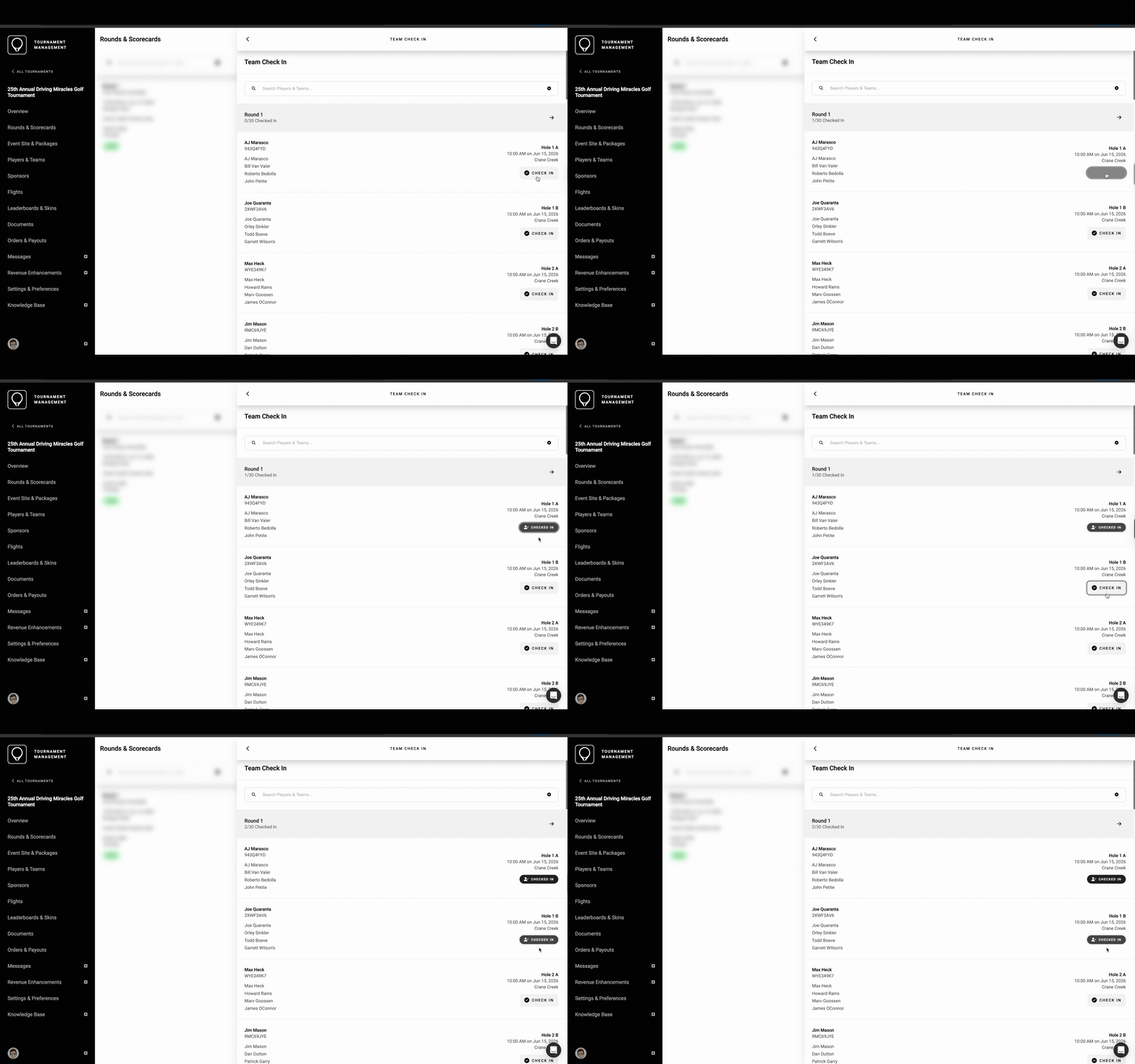
The live counter updates in real-time, showing how many teams have been checked in out of the entire field.
Mulitple Access points
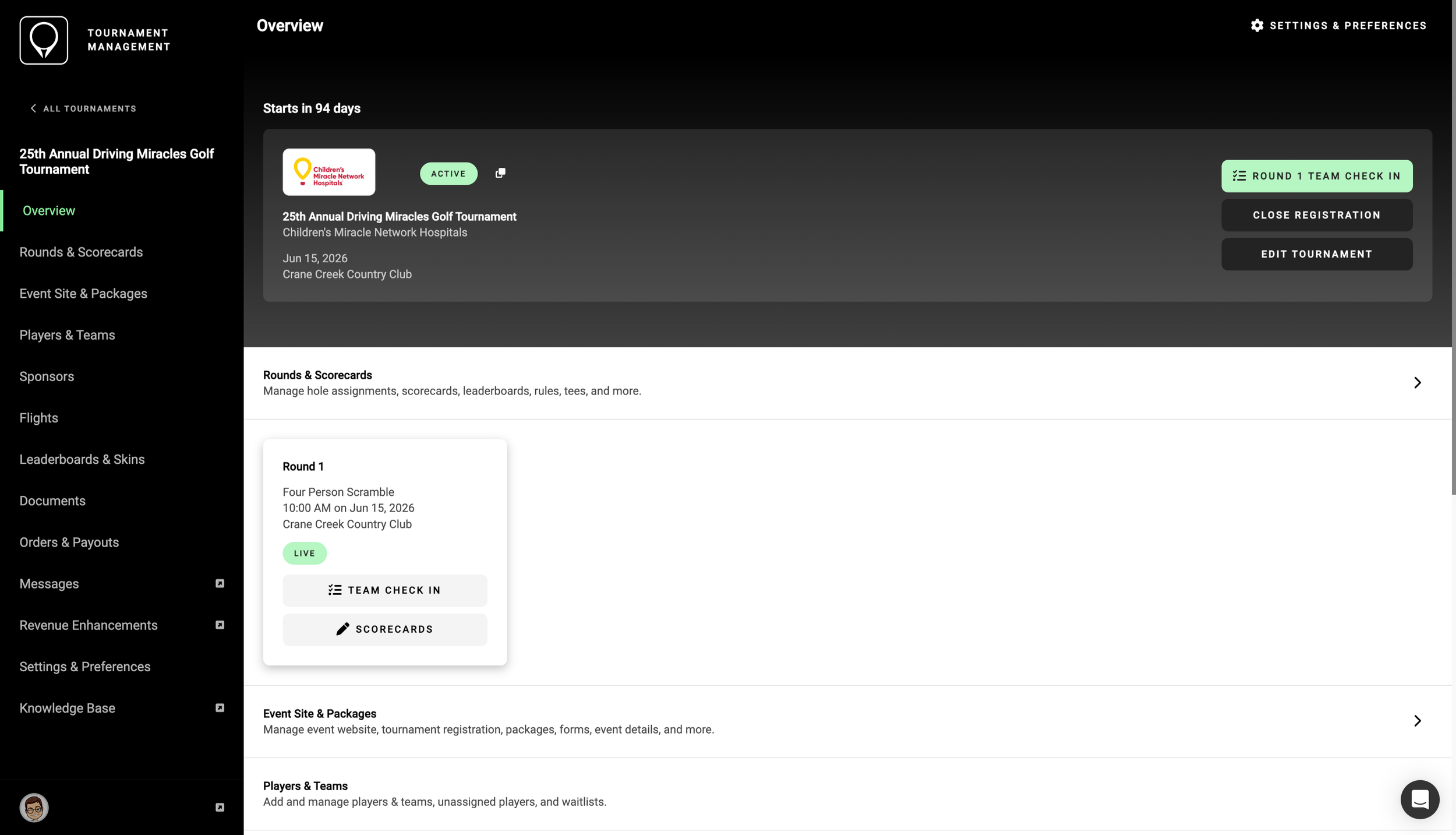
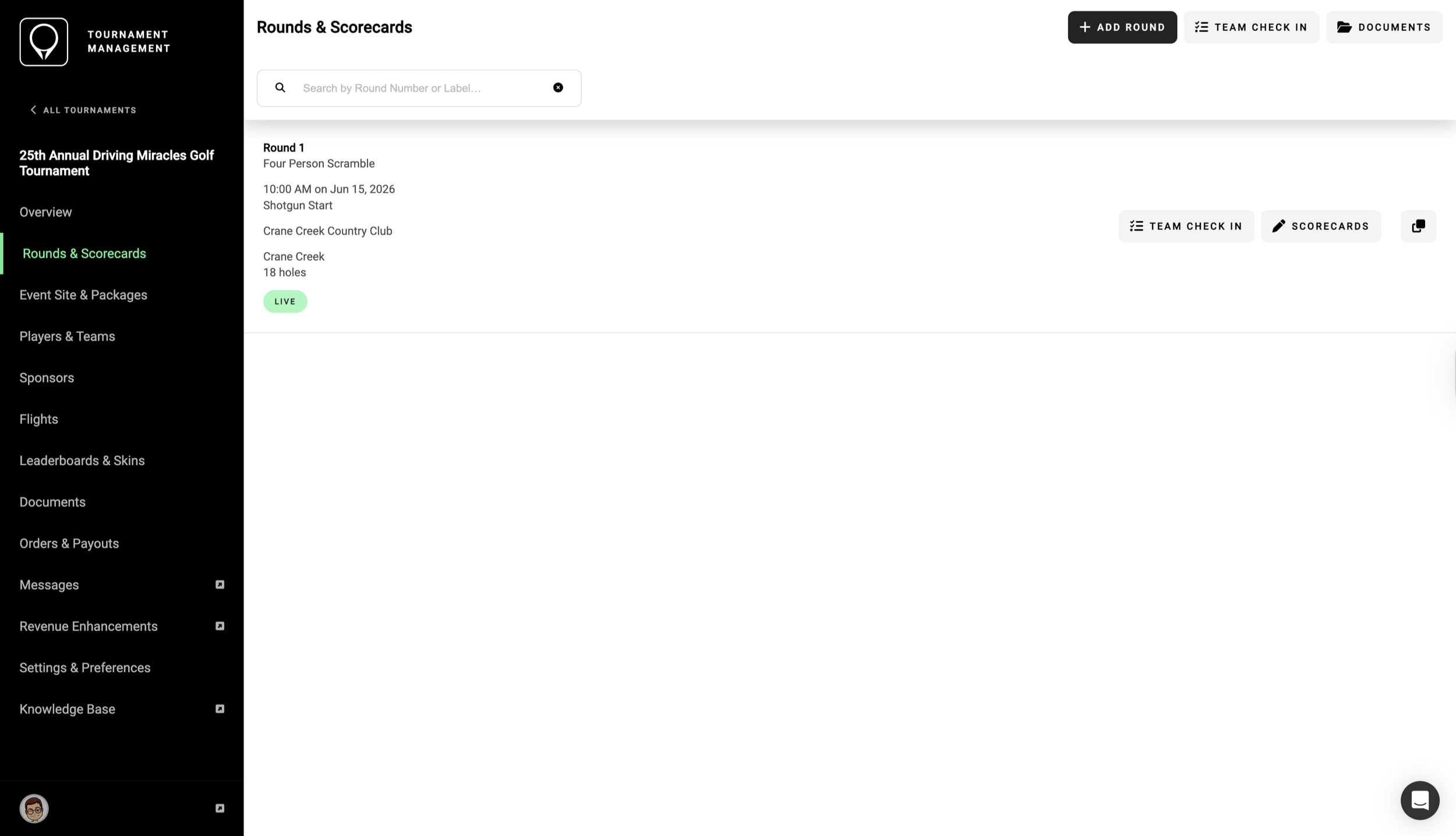
Users can access check-in from multiple places within the software, including the tournament overview screen, the Rounds and Scorecards menu, and the Players and Teams list. Every entry point leads to the same check-in experience, with identical functionality and real-time sync. Having multiple access points lets organizers jump in from the point in the software that feels the most natural without being locked into a single workflow.
Tournament Overview
Access check-in from the tournament’s home screen in the software, either from the Quick Actions menu or the Round tile.
Rounds & Scorecards
Organizers can filter by a specific round or search player or team names across all rounds at once, a huge time-saver for tournaments that have fields split across different time slots or courses.
Players & teams
One tap of the “check in” button marks the team as checked in and syncs the update to every connected device, allowing multiple registration stations and streamlining the process.
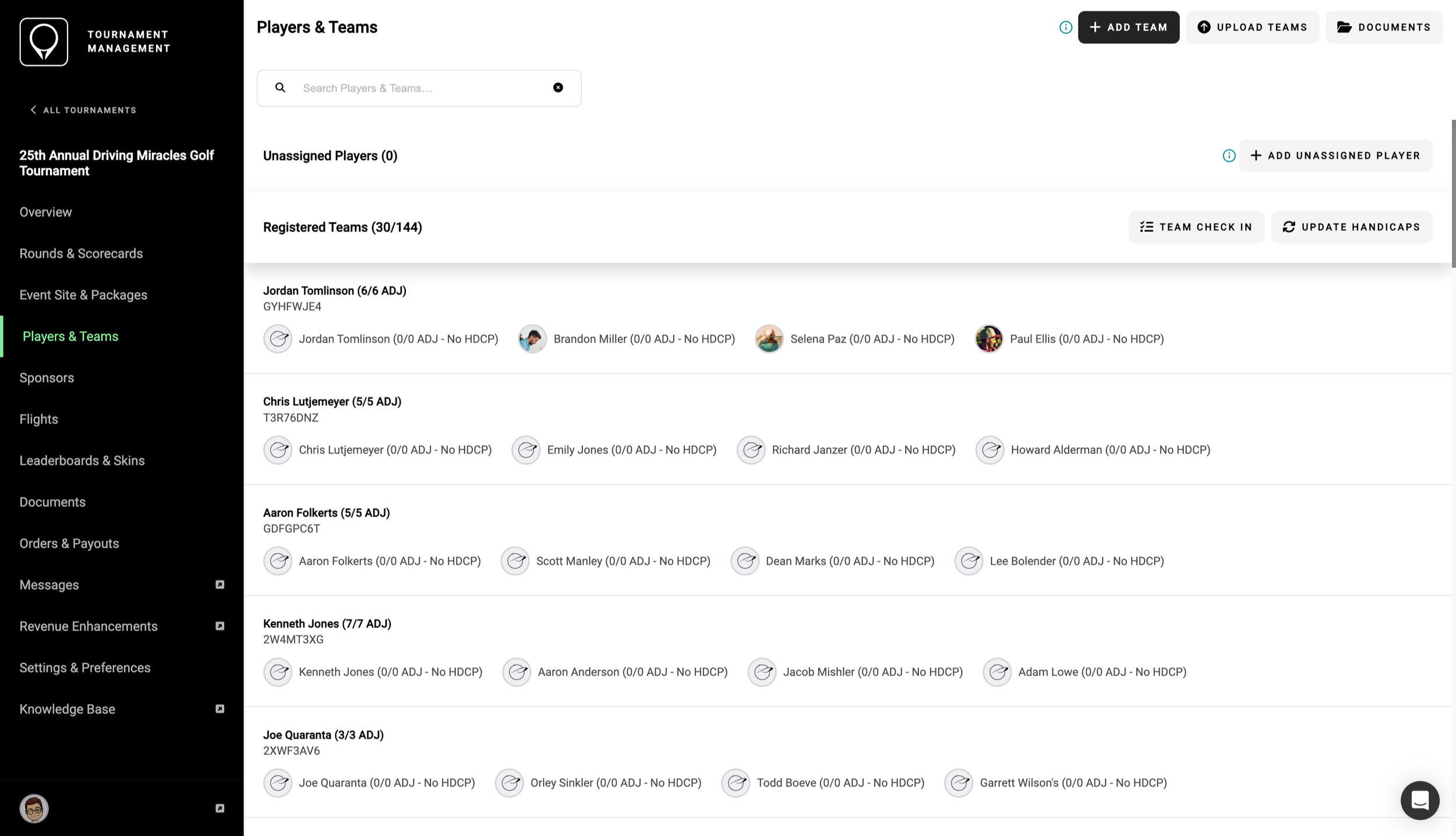
Check-in lets volunteers staffing registration rapidly search by team name or player name, so participants can be located in just a few seconds instead of flipping back and forth through multiple pages of printouts. And because the checked-in counter updates instantly, anyone who’s logged into the software, anywhere on the course, can get a clear picture of how registration is moving.
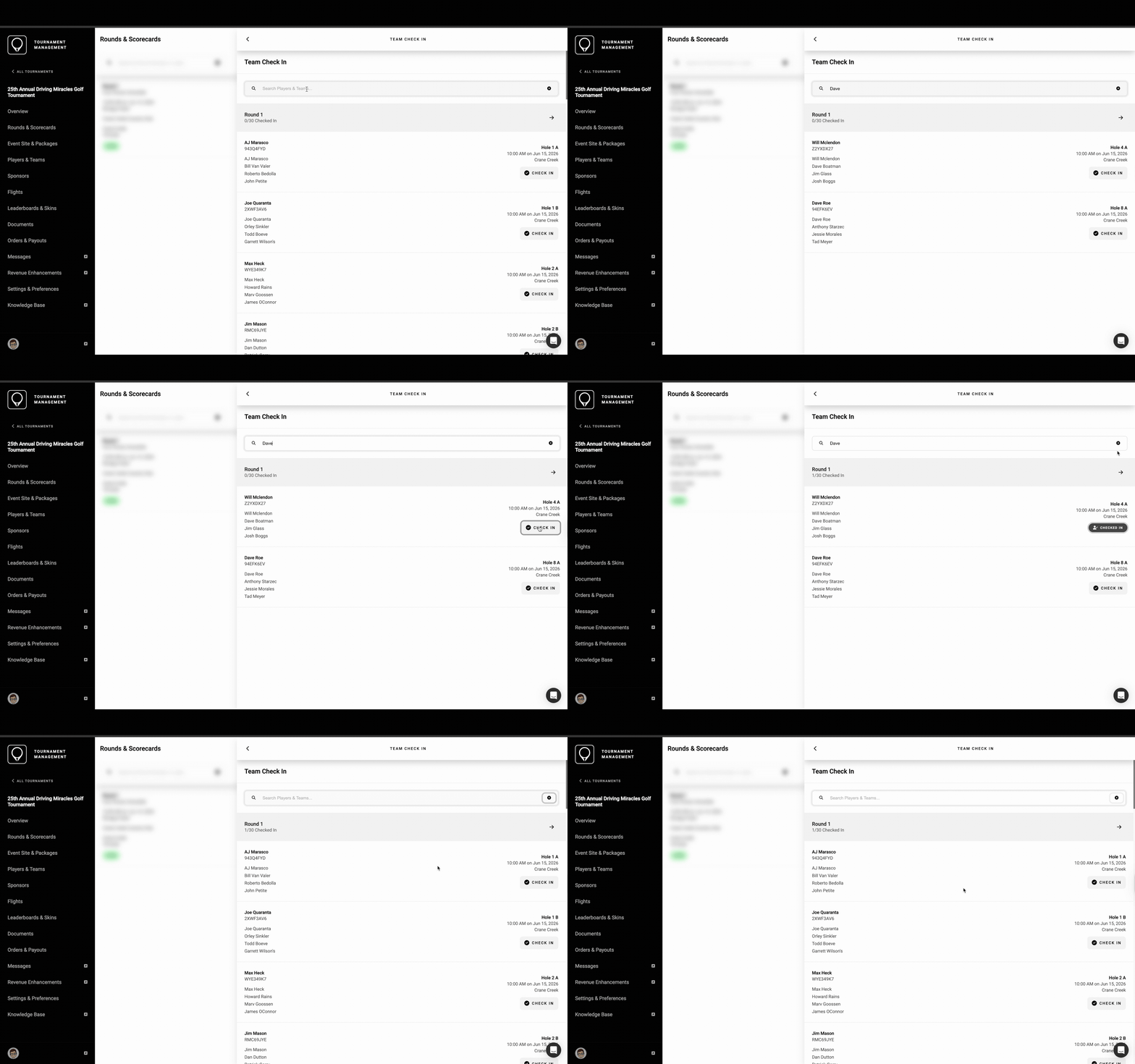
It’s quick and easy to search for a golfer or team across rounds.
want to know more?
Get in touch to find out more about how GolfStatus can save time and help raise more money with your golf tournament. Whether you’ve got a golf event on the calendar or are just exploring the idea, GolfStatus can help. Click below to book a meeting with our team and get started with no upfront cost!
already a golfstatus client?
Get in touch with your Client Success representative to learn more about the check-in feature for your next tournament.